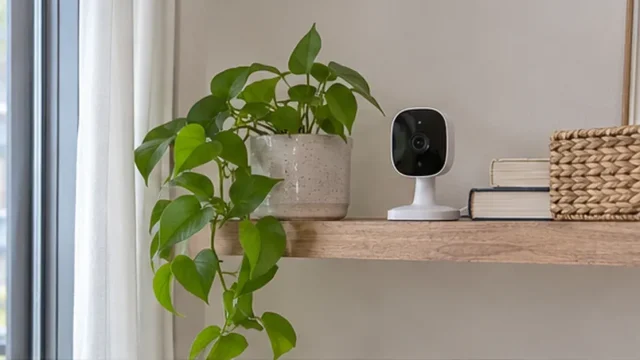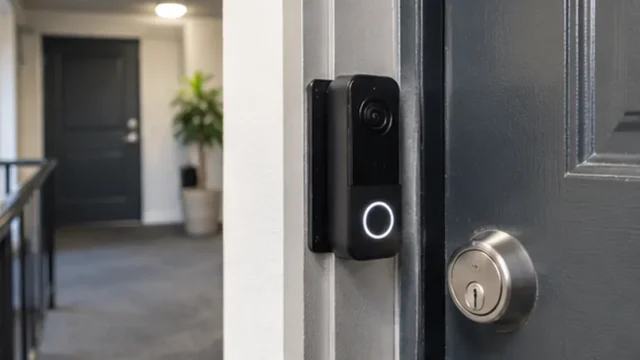
For most renters who want to review a missed event without a monthly fee, I’d start with the TP-Link Tapo C120 and a compatible microSD card. It sits on a shelf, plugs into an outlet, and saves recordings inside the camera. For roommates who want to see at a glance when recording is off, the Ring Indoor Cam (2nd Gen) has a useful advantage: closing its manual cover stops both video and audio recording. If you want a camera that can look around a room, the Aqara Camera Hub G3 is the pick I’d consider, provided everyone agrees on what it can see.
Also read: Portable Cooling for Renters – How to Keep a Rental Cool Without Installing AC · Smart Home System Troubleshooting – Fix Offline Devices, Hubs & Wi-Fi Problems · Best No-Drill TV Wall Mounts for Renters (2026) · Are All LED Light Strips Compatible? A Renter’s Guide · Best Smart LED Strip Lights for Renters
Quick answer
To review missed events without a monthly fee, start with the TP-Link Tapo C120 and a compatible microSD card. For a visible privacy cover, pick the Ring Indoor Cam (2nd Gen). To pan around a room, consider the Aqara Camera Hub G3, if everyone agrees on what it can see.
The question that separates these three security cameras for apartments is what you want to find on your phone ten minutes after a notification. If you just want to see whether the cat is on the counter right now, live view might be enough. If you want to see how she opened the cupboard while you were on the bus, you need a recording you can actually play back. Make that decision before buying a camera or starting a free trial.
Three indoor cameras compared
These recommendations use manufacturer specifications and support documents. All three cameras need power at their installation spot. Each can work on furniture you own, which makes more sense for most apartments than fastening a bracket to a painted wall.
| Camera | Good fit | What you can review | Tradeoff |
|---|---|---|---|
| TP-Link Tapo C120 | A fixed view of your own entry or a pet area | Local footage with a separately purchased microSD card, up to 512 GB. Optional Tapo Care cloud storage. | Uses 2.4 GHz Wi-Fi. Removing the camera also removes its onboard card. |
| Ring Indoor Cam (2nd Gen) | A shared living room where a visible off switch matters | Live view without a subscription. Reviewing missed recordings requires an eligible plan. | Someone must physically reopen the cover when you want coverage again. |
| Aqara Camera Hub G3 | A larger room or an existing Aqara setup | Optional local microSD storage up to 128 GB. Also supports Apple HomeKit Secure Video. | A moving lens changes the view. HomeKit has different resolution and control limits. |
If someone you live with is uncomfortable with a camera in the room, a more expensive privacy feature is unlikely to settle it. Start with the job itself. A contact sensor may be plenty if all you want to know is whether your door opened. A camera adds value when seeing what happened would change what you do next.
Mounting is the next step. See our no-drill apartment security camera installation guide.
Tapo C120 for recordings without a monthly plan
The C120 makes the most sense when you want footage waiting after a missed alert, and you’re happy to keep the working copy at home. TP-Link lists 2K QHD video, person and pet detection, a magnetic base, and support for a microSD card of up to 512 GB. You can set it on a flat surface without using the supplied plate or adhesive. Buy the card if you want local recordings, then confirm that the camera recognizes it and that recording is enabled.
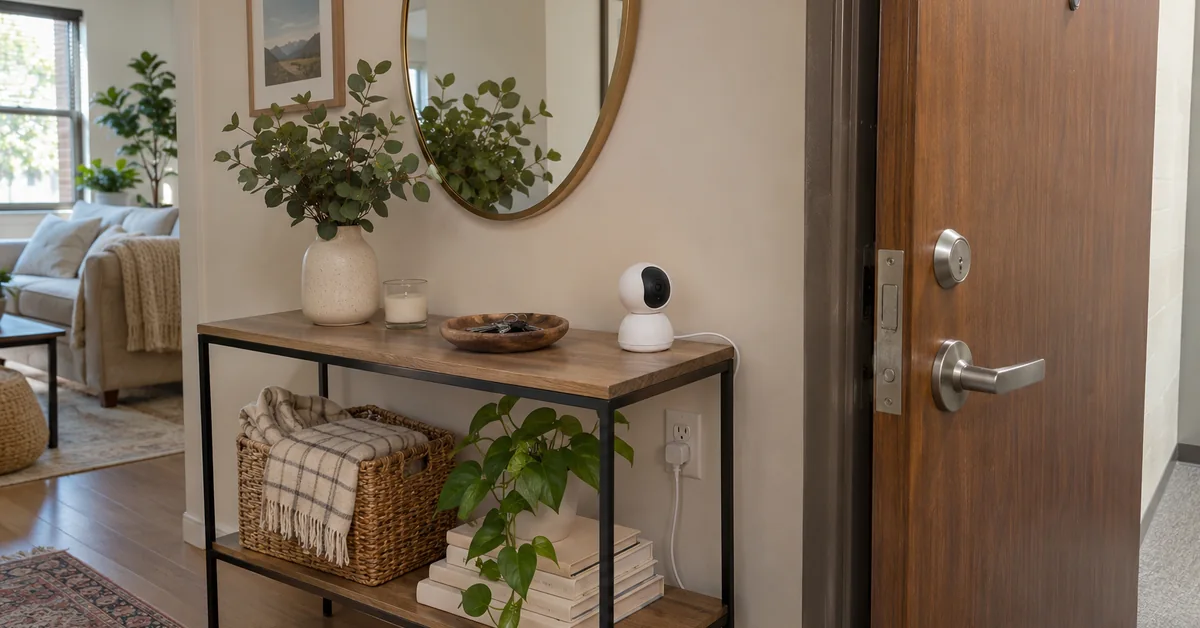
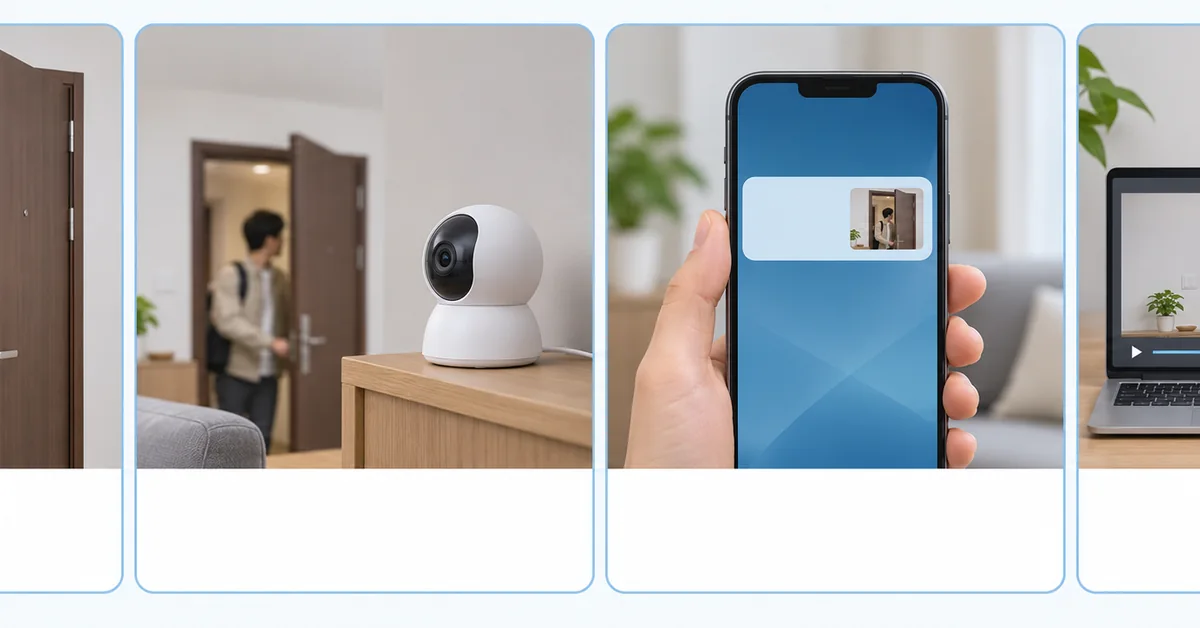
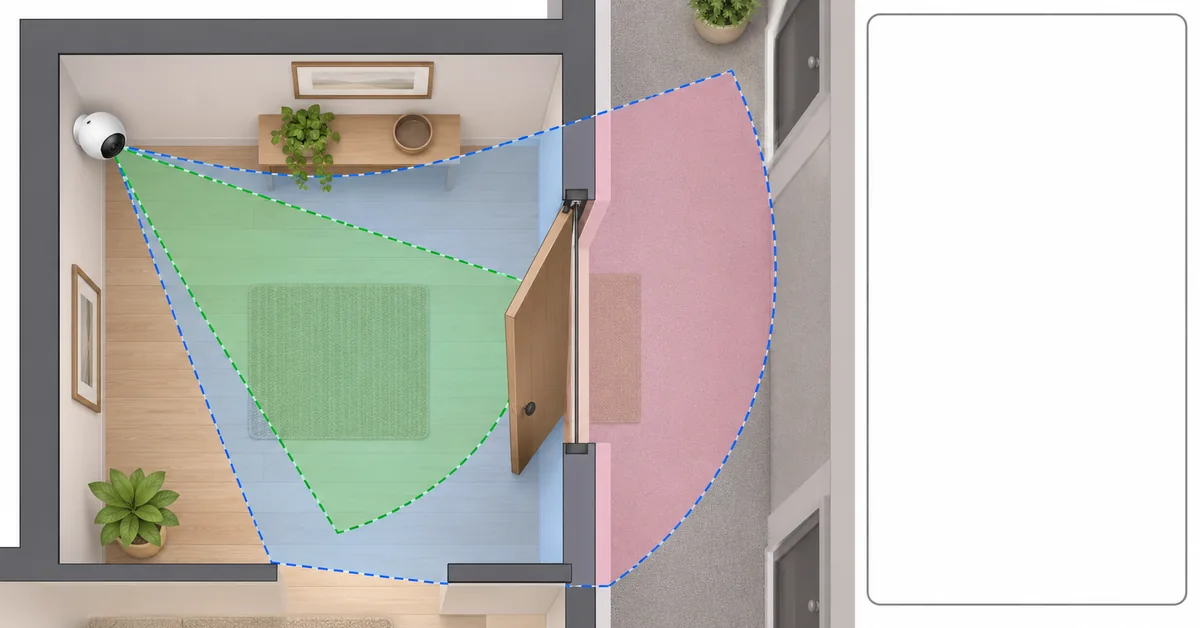
A narrow entry is a good use case. Put the camera on a stable surface inside the apartment and angle it across the path someone takes after they step inside. If you point it straight at the door, opening the door may reveal the apartment opposite. An offset angle can give you a better view of arrivals while keeping your neighbor’s doorway out of the picture. Check the live image with the door fully open.
This is also the model I’d choose for a pet corner where a fixed frame tells the whole story. Include the pet bed and the floor immediately around it. A person buying a second camera to see a water bowl might be able to move the bowl a few inches instead. Disable alert types you don’t plan to act on. For example, the ability to detect several kinds of sounds adds little if the household has agreed to leave audio features off.
Its weak spot is clip survival. If the camera and its card go missing together, you can’t retrieve that card from the app. Decide whether local playback meets your need or whether an independent copy of important clips matters. TP-Link sells optional cloud storage, but check the features and retention available in your country. A motion notification alone doesn’t establish that a clip has been saved elsewhere.
Ring Indoor Cam for a visible privacy cover
The second-generation Ring Indoor Cam has a simple feature that works well in a shared apartment. You can walk over, swivel its cover closed, and show another person that the lens is covered. Ring says this action stops both camera and microphone recording. The camera offers 1080p video, an adjustable stand, and 2.4 GHz Wi-Fi. Look for “Indoor Cam (2nd Gen)” on the box. Similar Ring names cover other generations and features.
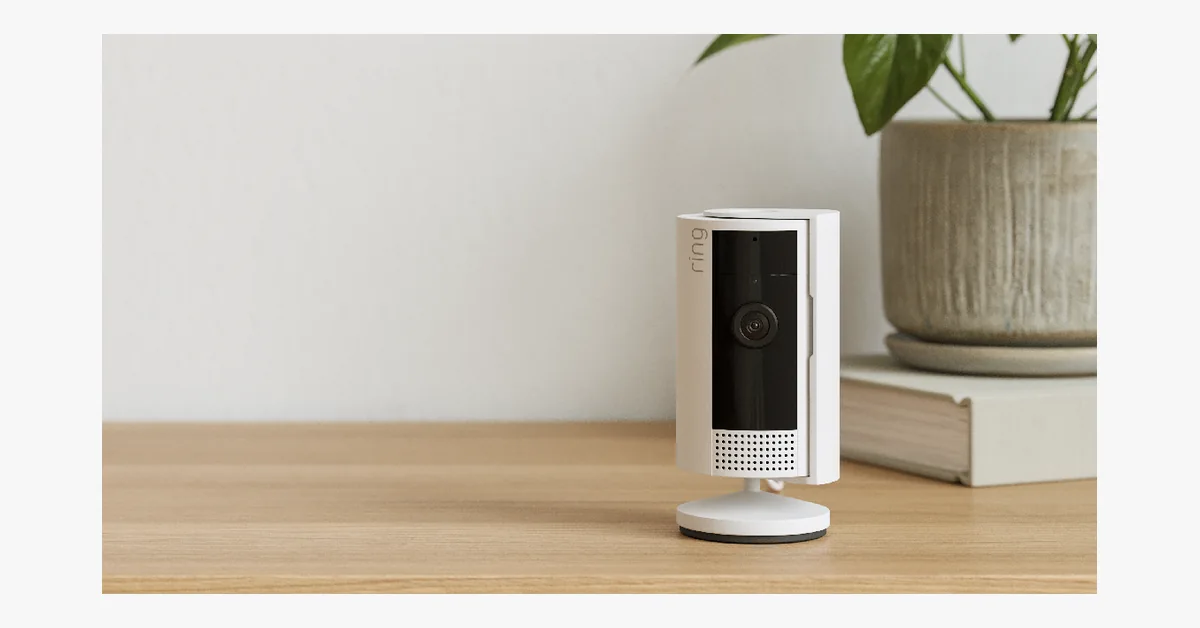
Imagine two people who work opposite shifts. A schedule set for nine in the morning will occasionally record someone who’s just come home to make breakfast. With a reachable cover, either roommate can turn off recording without finding the account owner. Put the unit where both people can see and operate it. A high placement that needs a chair defeats much of the point of buying this model.
The same feature creates a small routine before you leave. If someone closes the cover during breakfast, it remains closed until someone reopens it. If the last person out forgets, the camera won’t record that afternoon. Be realistic about whether the household will keep up with this. A visible manual control is a good fit for people who want that responsibility and a frustrating choice for someone expecting everything to happen on a schedule.
Ring says you can use live view without a subscription, while recorded history depends on a qualifying subscription. If you buy this camera because it’s discounted, check the ongoing cost against what you want to do after the trial ends. Live video may be all you need to look in on a dog. Someone expecting to review an entry from yesterday needs to budget differently.
Aqara Camera Hub G3 for a room with two areas to watch
Aqara’s G3 has a motorized head, supports both 2.4 GHz and 5 GHz Wi-Fi, and doubles as a Zigbee hub for compatible Aqara devices. The manufacturer lists local microSD storage up to 128 GB. Its hardware privacy mode moves the lens away and shows a sleepy face. That visible cue is useful. Verify microphone behavior and audio settings separately before agreeing on a household privacy routine.
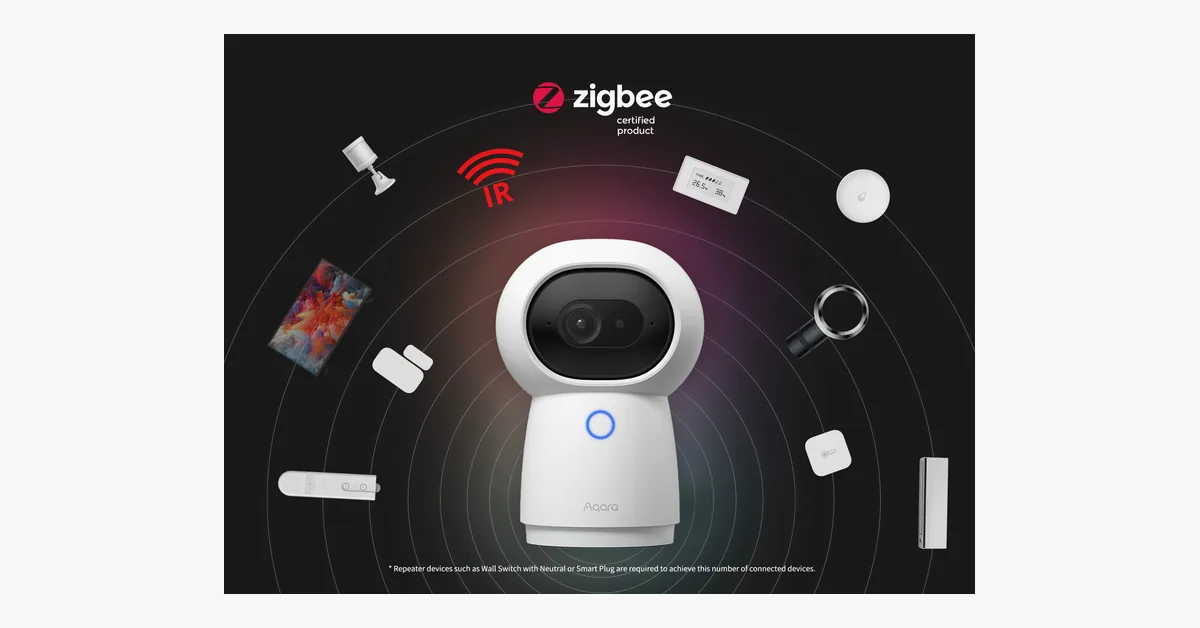
Consider a studio where your dog moves between a bed near the front door and a favorite chair across the room. A fixed camera that sees both spots might also capture your desk and computer screen. Pan and tilt lets you look at one area at a time, but the camera can also turn toward areas you’d rather keep private. Before you choose it, stand where the camera will sit and look through its whole possible sweep. Ask whether the household would be comfortable with that view.
The app you plan to use changes what you get. Aqara says its HomeKit Secure Video mode records at 1080p and doesn’t offer pan and tilt controls in HomeKit. If those controls are the reason you’re paying extra, make sure you’re willing to use the Aqara app for them. If you only want a fixed view of a door, there’s little reason to buy a motorized camera because its specification sheet is longer.
A feature worth paying for in one apartment can be a drawback in another. In a home office, the G3’s different Wi-Fi bands may solve a real compatibility problem. In a shared room, the fact that another authorized user could turn the camera may itself make the choice uncomfortable. Agree on who has camera controls before spending money on the model that offers more of them.
Decide where a missed moment should be stored
A live stream, an alert, and a recording answer different questions. A live stream shows the room when you open the app. An alert tells you the camera detected something under its current settings. A recording is what you can return to later. If a feature list says “free notifications,” find the separate line explaining how video is saved and for how long.
| What happened | What to check before you rely on the camera |
|---|---|
| You missed an alert during work. | Can you play the relevant event afterward on the account and storage option you’ll actually keep? |
| You returned from a weekend away. | Does the oldest available recording go back far enough under your normal activity level? |
| The apartment internet went down. | Did local recording continue with power on? Were remote alerts or cloud uploads interrupted? |
| The equipment is lost or damaged. | Is a needed clip already saved somewhere independent of the camera and its card? |
For local storage, card capacity is only one part of retention. Continuous video fills storage differently from recording only detected events. A cat that crosses the entry rug all day can generate many more clips than an empty apartment. After a representative week, check the oldest recording. Don’t promise yourself a specific number of days based on the number printed on a memory card.
Compare costs for the period you actually expect to rent. Get the local price for the camera, a compatible card if needed, and any subscription required for your preferred history. For illustration, a service at $5 per month adds $120 over a two-year lease before tax. That’s an arithmetic example, not a quoted camera plan. Someone who already pays for an eligible household plan should check the incremental cost to add one device. Check the manufacturer’s store and a local retailer against the same model.
Place the camera without drilling
- Choose one question the camera should answer. “Did the dog walker come in?” gives you a smaller, more useful target than “cover the apartment.” Pick a shelf or piece of furniture that sees the event inside your own space.
- Put your phone where the lens would sit and take a rough reference photo. Open the entry door, neighboring closet doors, and any reflective cabinet in view. Look for mirrors, screens, and sightlines into adjoining private rooms. The camera’s lens will differ, so repeat this check in its live view.
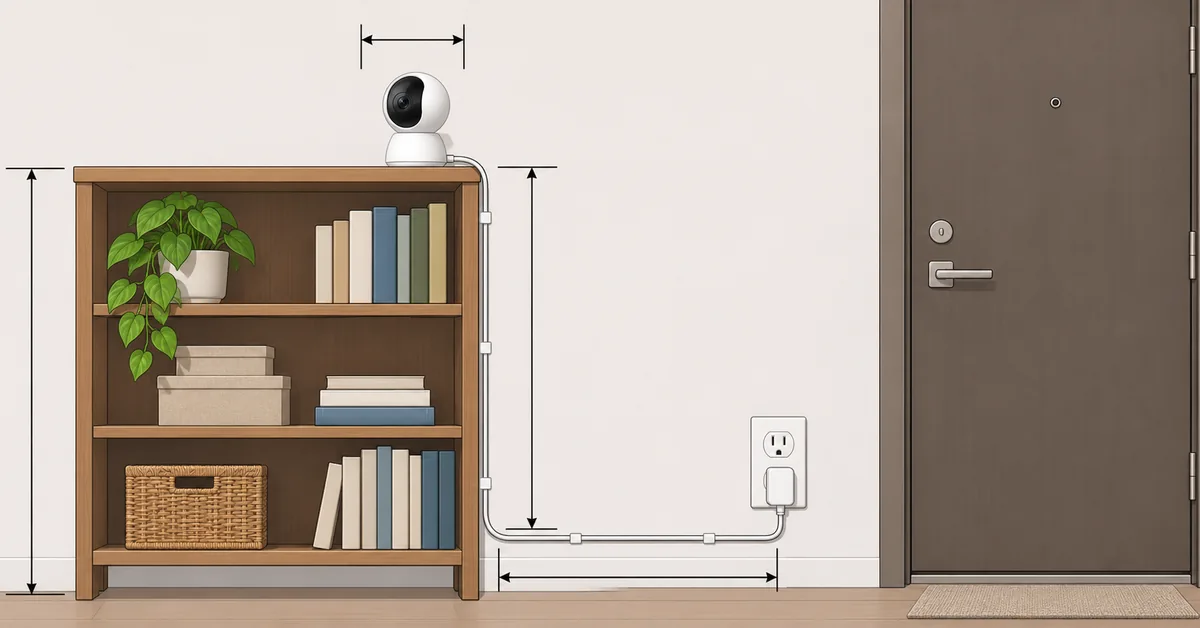
- Measure the wire route from the shelf to the outlet, including the drop behind the furniture. Ring lists a six-foot included cord for its second-generation camera. TP-Link’s C120 datasheet lists a three-meter cord. A high shelf can use most of a cable before it reaches the baseboard.
- Stand the camera on a stable surface using its supplied base. Keep the lead away from a door swing, pets, and places someone might trip. If it cannot reach the outlet without crossing a walkway, choose another spot. A magnetic base works only with a suitable surface and a secure attachment.
- View a test recording after the room is arranged normally. Put coats on the hooks, open the door, and walk in carrying your usual bag. A tote left on a narrow console can block more of the frame than you’d expect. Keep the final position easy to reach for privacy controls and cleaning.
For a tidier cable route, see how to hide cords on a wall without drilling.
See what the night recording actually shows
Repeat the doorway walk after dark with the room lit as you usually leave it. Play back the clip on the phone you’ll use when you’re away. Look at the person or pet that matters. A brightly lit door frame can look sharp while the face beside it is hard to make out. Move the camera slightly, then compare a second clip before changing a dozen app settings.
Placing an indoor camera behind glass can introduce reflections. The pane may reflect the room or the camera’s own infrared light after dark. If your goal is a view of your private interior, turn the camera back into the room. Buying a brighter spotlight to fix a reflection can make the reflection worse. A shared corridor or exterior package area is a separate placement and permission decision.
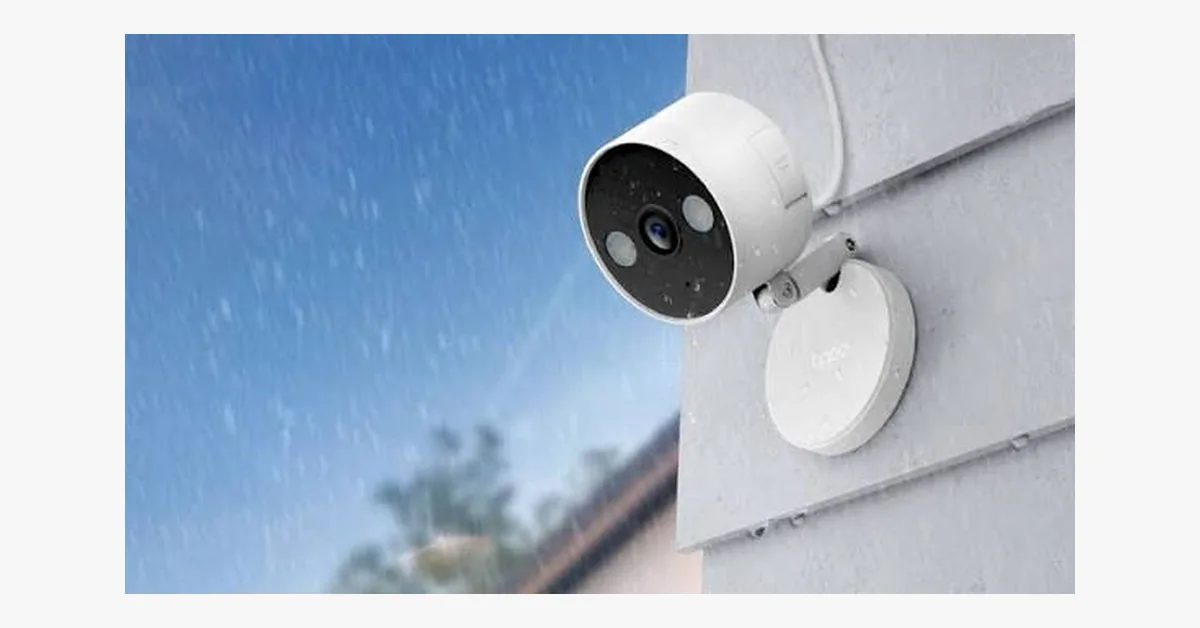
The C120 offers infrared modes and built-in spotlights for color footage. Think about the person who gets up for a glass of water. A spotlight coming on at eye level may be much more irritating than you expected. Start with the least intrusive mode that still shows the event clearly and make a second adjustment only if the recording is genuinely hard to interpret.
Get agreement on video, audio, and access
Talk before the camera goes live. Show everyone who shares the apartment the actual camera view, say when it will operate, and decide who can see saved footage. Agree separately about sound. A shelf camera aimed at the front door may still pick up a phone call at the kitchen table. Keep audio recording off if your purpose is visual and the people involved haven’t agreed on sound.
A motion zone usually controls when you receive alerts. A privacy mask is intended to obscure part of the image. Muting your phone stops a notification noise. Those are three different actions. If you’ve promised a roommate their desk will stay out of recordings, check a saved clip with the desk in use by a consenting person. After moving a camera, inspect the image again. Tapo explains that its privacy zones move with a changed view.
A private apartment, a shared hallway, and a neighbor’s doorway raise different questions. Check the lease and building rules before aiming outside your own space. In the US, rules on recording conversations vary by state. In Canada, the federal privacy commissioner provides a guide to where different privacy concerns should be directed. In the UK, the ICO addresses home cameras that capture communal areas. Australia’s OAIC points private individuals to relevant state or territory surveillance rules. Keep your initial view inside the unit and seek local advice for a disputed setup.
Check the connection before the return window closes
Confirm the available Wi-Fi band and the way devices join it. If the building uses a browser sign-in or requires registration for each device, ask management how smart cameras are supported. Check the answer against the model’s setup requirements. A phone getting a strong signal on a guest network doesn’t establish that a camera can complete setup or communicate with the app.
Turn off Wi-Fi on your phone and use cellular data to check an authorized live view from outside the apartment. Then create a test event and open the saved recording later. Testing only while your phone is beside the camera on the same Wi-Fi network can hide problems with remote access. If you have a trial plan, repeat the playback check once the account is on the storage arrangement you intend to keep.
For an already configured Tapo camera, the manufacturer says local card recording can continue when the internet connection is unavailable, with local playback on the same network. Cloud services and notifications need the internet. Losing electrical power is different. These plug-in cameras still need power to operate. If continued recording during an outage is an essential requirement, evaluate that requirement separately before choosing a camera.
One last check is worth doing with a second household member. Have them walk past the agreed entry point while you leave your phone face down. Ten minutes later, find the event from the app’s home screen and play the beginning and end. Check that the timestamp matches the local time, that you can see the part of the entry you care about, and that the clip respects the audio setting you agreed on. Then try saving that harmless test clip somewhere you control. It’s better to learn where the download button is on an uneventful Tuesday than when you’re in a hurry.
Using building Wi-Fi or having pairing trouble? Follow our apartment smart home Wi-Fi setup guide.
Keep access under your control through move-out
Use a unique account password, enable two-factor authentication where available, and keep the camera firmware and phone app updated. The FTC also recommends checking encryption and user permissions. Give a partner or roommate an individual invitation with the access they need when the platform supports it. Sharing one owner password makes it difficult to remove a single person later.
When you move, export the clips you need while the old setup is still powered and connected. Review shared users, remove old household integrations, and take the card out before giving away the camera. Follow the manufacturer’s account-removal and reset instructions if transferring it. Review any ongoing subscription separately. Moving the camera out of the apartment won’t, by itself, tell a billing service to cancel.
Questions
Frequently asked questions
What is the best indoor camera for an apartment without a subscription?
The Tapo C120 is a practical choice for a fixed view with local playback. Add a compatible microSD card, enable the recording mode you want, and confirm that you can review a sample event. Tapo Care is an optional cloud service.
Can my roommate turn a camera off without the app?
The Ring Indoor Cam (2nd Gen) has a manual cover that stops both video and audio recording when closed. Choose a reachable location and agree on who will reopen it before the apartment is empty.
Will one indoor camera cover a whole apartment?
One camera can be enough to answer a focused question about a private entry or pet area. Walls, closed doors, and furniture limit the view. Start with one agreed location and add another camera only if there’s a specific event you still need to see.
Can an apartment camera alert me about packages in a shared hallway?
An inward-facing camera may never see the delivery. A device aimed into a shared hallway raises separate building and privacy questions. Check the rules and consider building delivery notifications or a parcel locker before changing your camera’s angle.
Need to see your front door? Read whether renters can install a video doorbell without drilling.
Before you buy
Choose one spot and one event you want to review. Measure the cord route, decide how that event will be saved, and show the proposed view to everyone who lives there. Those decisions will narrow the field more quickly than comparing another page of resolution numbers.