
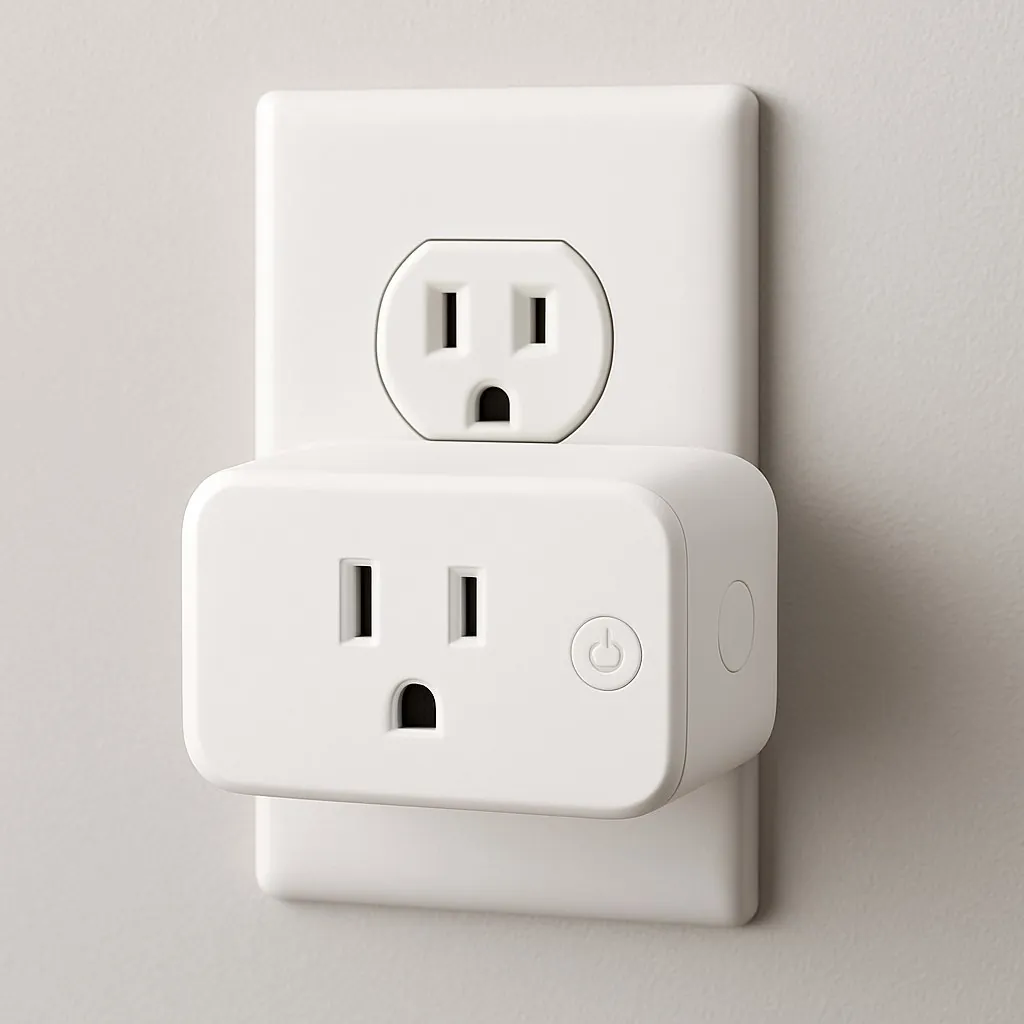
What is a smart plug? It's a small adapter that goes between a wall outlet and an ordinary device, so you can switch that device on or off from your phone, a voice assistant, or a schedule. You don't rewire anything, so it's one of the easiest smart home upgrades a renter can make. Plug it in, pair it with an app, and your old lamp, fan, or coffee maker gets remote control.
Also read: Smart Homes for Rent – What to Look For (and How to Make Any Rental Smart) · No Drill Wall Mount – What Holds Without Studs or Drilling
Quick answer
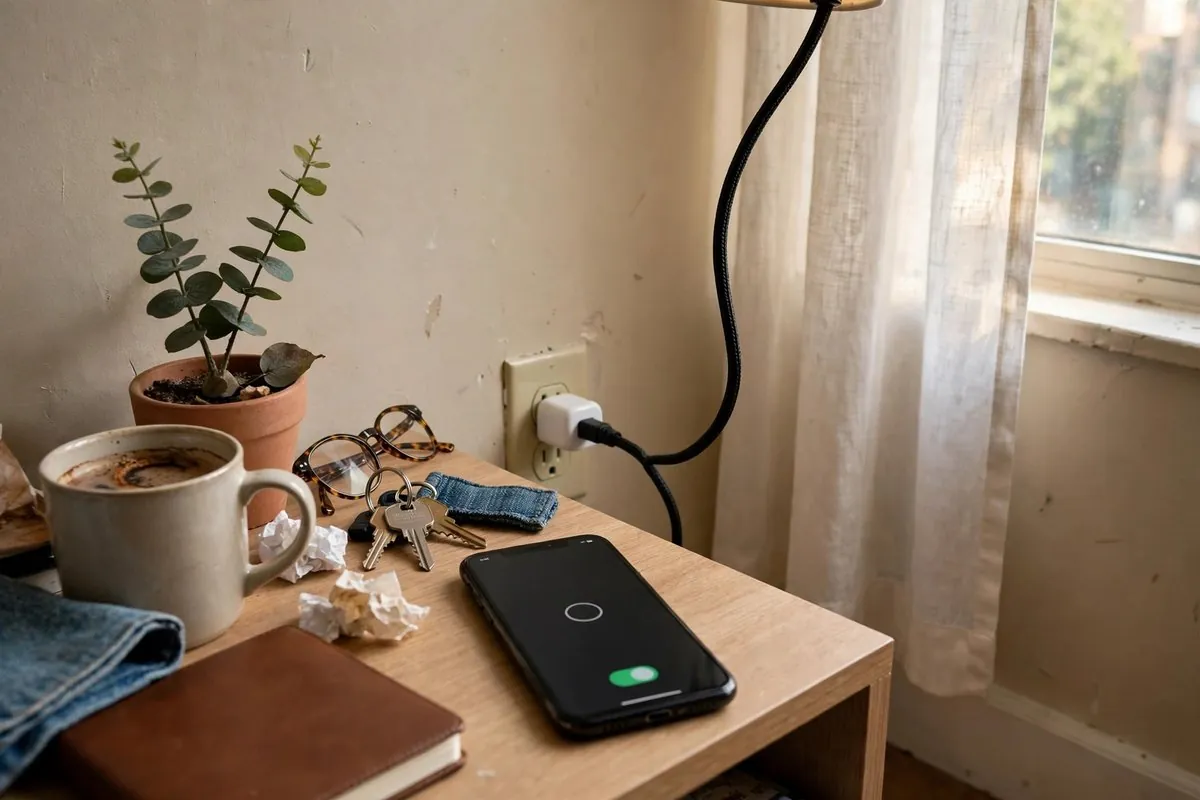
A smart plug is a plug-in switch you control with an app, voice, or schedule. It works with anything that turns on when power arrives, like lamps, fans, and many coffee makers. Most US models are rated 15 amps (about 1,800 watts at 120 volts), but you should keep long-running loads near 1,440 watts or less. You don't need an electrician or landlord approval, and it comes with you when you move.
Key takeaways
- A smart plug only cuts or restores power. It can't press buttons on a device, so the device needs a "stays on" mechanical switch.
- Wi-Fi plugs need no hub. Matter plugs work across Alexa, Google Home, Apple Home, and SmartThings.
- Energy-monitoring plugs show real watt and kWh numbers, which helps you spot power-hungry gadgets.
- Skip space heaters unless the plug is rated for the load, and never use one on safety-critical gear.
- Prices checked November 2026: basic plugs run about $8 to $15 each, premium Thread plugs about $33 to $42.
What is a smart plug and how does it work?
How does a smart plug work? A smart plug has a tiny relay (an electrically controlled switch) and a radio inside. When you tap "off" in the app, the radio receives the command and the relay opens, cutting power to whatever is plugged into it.
That's the whole trick. The plug doesn't "talk" to your lamp. It simply decides whether electricity reaches the lamp. Here's what happens step by step:
- You plug the smart plug into a wall outlet and plug your device into the smart plug.
- The plug joins your network over Wi-Fi, Thread, Zigbee, Z-Wave, or Bluetooth.
- You send a command from an app, a voice assistant, or a schedule.
- The command reaches the plug, either through the internet, your local network, or a hub.
- The relay clicks and power turns on or off.
Most plugs also have a physical button on the side. That matters more than people think. If your Wi-Fi drops, you can still switch the device by hand.
What a smart plug can't do
A smart plug can't change settings on a device. It can't pick a fan speed, start a dishwasher cycle, or change a TV channel. If a device needs a button press after power returns, the plug only puts it into standby. Many microwaves, modern TVs, and coffee machines with digital panels behave this way.
A quick test before you buy: unplug the device, plug it back in, and see what happens. If it springs back to life on its own, it'll work with a smart plug. If it sits there waiting for you, it won't do much.
What renters can and can't do with a smart plug
Renters can use smart plugs almost anywhere a normal plug goes. A smart plug sits in the outlet like a phone charger, so it doesn't touch walls, wiring, or fixtures.
Here's how that plays out in a typical lease:
| Question | Smart plug | Smart switch (in-wall) |
|---|---|---|
| Needs rewiring? | No | Yes, replaces the wall switch |
| Landlord permission usually needed? | No | Usually yes |
| Deposit risk | None if used correctly | Possible if wiring is changed |
| Takes 2 minutes to remove? | Yes | No |
| Comes with you when you move? | Yes | Only if you swap the original back |
The one place to slow down is shared or building-owned equipment. Don't put a smart plug on a landlord-owned appliance like a dehumidifier or a sump pump without asking. If it fails off, the damage could land on you.
If you want in-wall control later, read our guide to How to Set Up Smart Lights in an Apartment Without Rewiring first. Most renters can get the same result with bulbs and plugs.
Wi-Fi, Bluetooth, Zigbee, Thread, and Matter: which smart plug type is right?
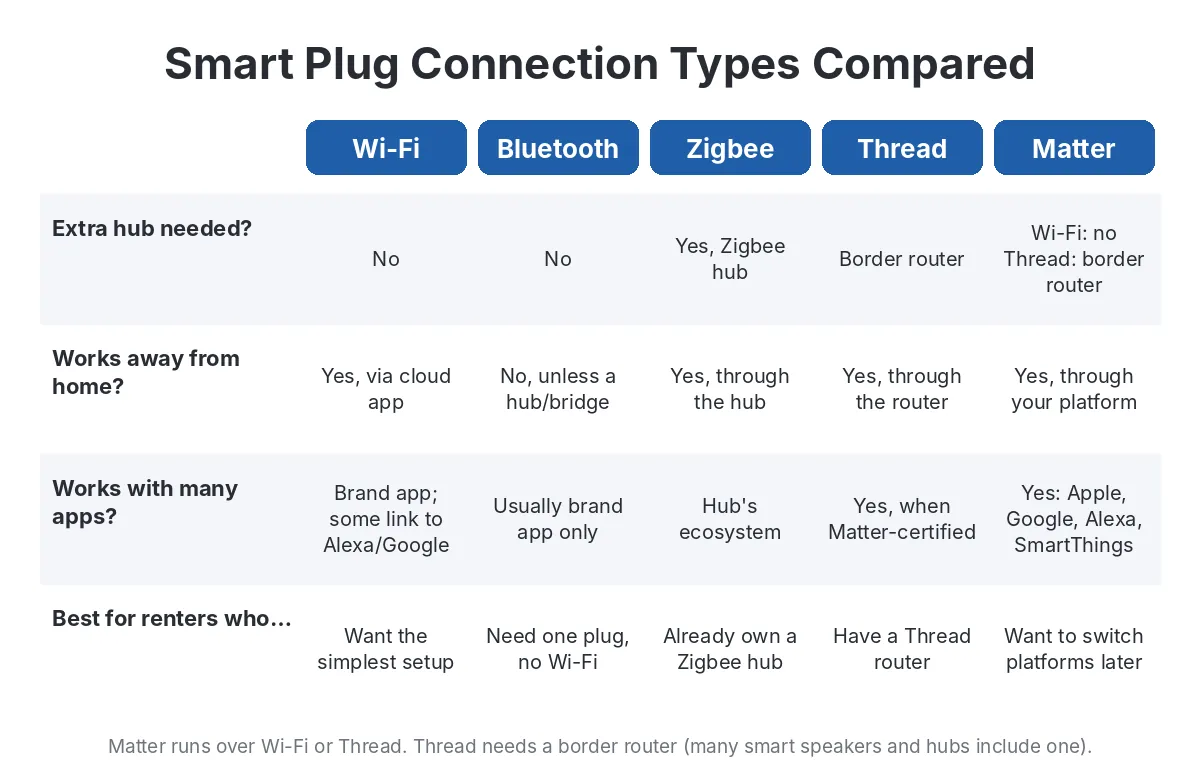
The short answer: buy a Matter plug if you might switch voice assistants later, and a plain Wi-Fi plug if you want the cheapest option and plan to stay with one app.
Smart plugs differ mainly in how they talk to your phone. That choice affects setup, reliability, and whether you'll need a hub.
| Type | Hub needed? | Works with | Best for | Watch out for |
|---|---|---|---|---|
| Wi-Fi | No | Brand app, often Alexa and Google | Cheapest, simplest start | Most need 2.4 GHz Wi-Fi; locked to one brand's app |
| Bluetooth | No | Phone nearby | Very basic timers | Short range, no remote control away from home |
| Zigbee | Yes | Zigbee hubs (some Echo models, SmartThings) | People already running a hub | Extra device to buy |
| Z-Wave | Yes | Z-Wave hubs | Hub-based setups | Higher price, US frequency only |
| Matter over Wi-Fi | No | Alexa, Google Home, Apple Home, SmartThings | Mixed-ecosystem homes | Setup uses a QR code; keep it safe |
| Matter over Thread | Thread border router (many smart speakers include one) | Same as above | Fast, local control | Needs a Thread border router at home |
Matter is the newer standard that lets one plug work with several ecosystems. TP-Link's first Matter Kasa plug, the KP125M, launched in 2023 and connects to HomeKit, Google Home, Alexa, and SmartThings. If you want the deeper protocol breakdown, read Matter, Thread, Zigbee and Wi-Fi: What Is the Difference?.
A renter tip: shared building Wi-Fi often blocks device pairing or splits 2.4 GHz and 5 GHz in ways that confuse smart plugs. If your building provides the internet, check How to Set Up Smart-Home Wi-Fi in an Apartment before you buy anything.
What can you plug into a smart plug, and what should you avoid?
Plug in devices with a simple on/off switch and modest power draw. Avoid high-heat loads, anything safety-critical, and anything that could cause damage if it switches on while nobody's home.
Good matches for a smart plug
- Table and floor lamps (leave the lamp's own switch in the on position)
- Box fans and tower fans with a mechanical switch
- Holiday lights and string lights
- Phone and tablet chargers
- Aquarium lights and grow lights
- Simple drip coffee makers with a toggle switch
- Window AC units that restart in their last mode after a power cut (check your manual)
Devices to avoid or check carefully
- Space heaters, unless the plug is rated for the load and you follow the heater maker's rules
- Medical equipment, refrigerators, freezers, and anything that must stay on
- Irons, hair straighteners, and toaster ovens left unattended
- Power strips loaded with several high-draw devices
- Anything with a warning label telling you to plug it directly into a wall outlet
Understanding the 15-amp rating
Most US smart plugs are rated 15 amps. Tapo's P125M spec sheet, for example, lists a maximum load of 15 A and 1,800 W at 120 V for general-use resistive loads. Some plugs are rated lower. SwitchBot's plug lists 15 A but a 1,500 W max load, so the watt figure matters as much as the amp figure.
For anything that runs for hours, electrical safety guidance commonly uses an 80% rule. On a 15-amp plug, that's about 12 amps or 1,440 watts. Most space heaters are rated 1,500 watts, which is why they're the device people most often get wrong.
| Device | Typical draw | Smart plug fit |
|---|---|---|
| LED lamp | 8 to 15 W | Great |
| Box fan | 50 to 100 W | Great |
| TV | 50 to 200 W | Works for power-off only |
| Window AC (small) | 450 to 600 W | Works if it auto-restarts |
| Coffee maker | 600 to 1,200 W | Fine if it has a mechanical switch |
| Space heater | 1,500 W | Only with a heater-rated plug and close supervision |
Figures are typical ranges from manufacturer labels. Check the label on your own device before plugging it in.
How to choose a smart plug for a rental
Choose in this order: your voice assistant, your Wi-Fi, the plug's size, and whether you want energy data. Price comes last because the good ones are already cheap.
Here's a quick checklist:
- Ecosystem. If your household mixes iPhones and Android phones, or Alexa and Google, buy Matter.
- Network. Confirm you can join your Wi-Fi (or that you have a Thread border router) before you buy a 4-pack.
- Size. Pick a "mini" body that doesn't block the second outlet. Rental apartments rarely have enough outlets.
- Energy monitoring. Worth a few dollars more if you pay your own electric bill.
- Certification. Look for UL or ETL listing on the plug and its listing.
- Physical button. Make sure there's a manual on/off switch.
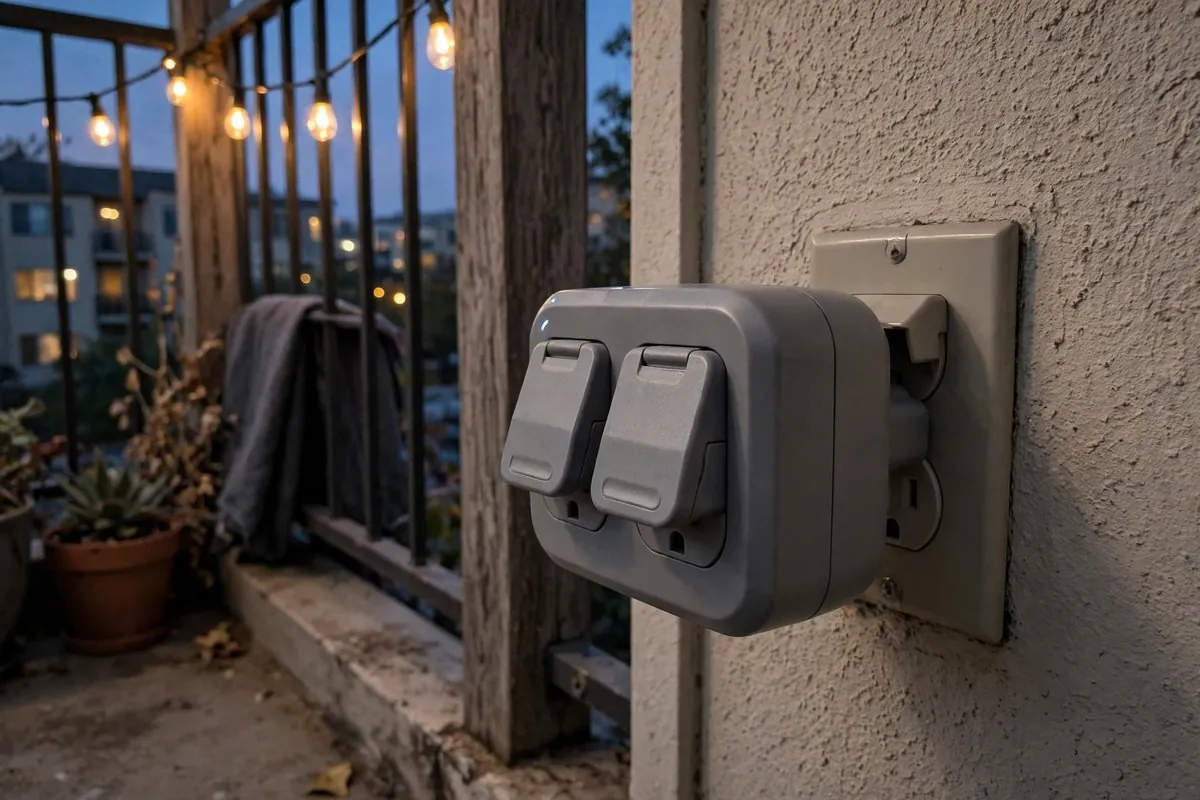
- Outdoor use. Use a plug rated for outdoor use (look for an IP rating like IP65) on balconies and patios.
Smart plug prices compared (checked November 2026)
| Plug | Connection | Energy monitoring | Approx. price | Note |
|---|---|---|---|---|
| TP-Link Kasa EP10 / EP25 | Wi-Fi | EP25 only | About $9 to $12 each | Very common, reliable app |
| TP-Link Tapo P125M | Matter over Wi-Fi | No | About $8 to $15 | Small body, broad ecosystem support |
| TP-Link Kasa KP125M | Matter over Wi-Fi | Yes | About $10 to $20 each | Launched at $19.99 for one plug |
| Meross mini plugs | Wi-Fi or Matter | Model dependent | About $7 to $15 | Often sold in multi-packs |
| Eve Energy | Matter over Thread | Yes | About $33 to $42 | Fast local control, Apple-friendly |
| Tapo P400M (outdoor) | Matter over Wi-Fi | No | About $20 to $26 | Two outlets, IP65 |
Prices move often and multi-packs lower the per-plug cost. Compare at least two retailers before buying. For a full buying comparison, see Matter vs Zigbee Smart Plugs (Aqara & More): Which to Buy.
How to set up a smart plug, step by step
Setup takes about five minutes. You need the plug, the brand's app, and your Wi-Fi password (or your Matter-compatible smart speaker or hub).
- Check your Wi-Fi band. Most Wi-Fi plugs only join 2.4 GHz networks. If your router uses one combined network name, setup usually still works.
- Download the app the plug's box tells you to use, or open your main smart home app if it's a Matter plug.
- Plug it in near the router for the first setup. Move it to its real spot afterward.
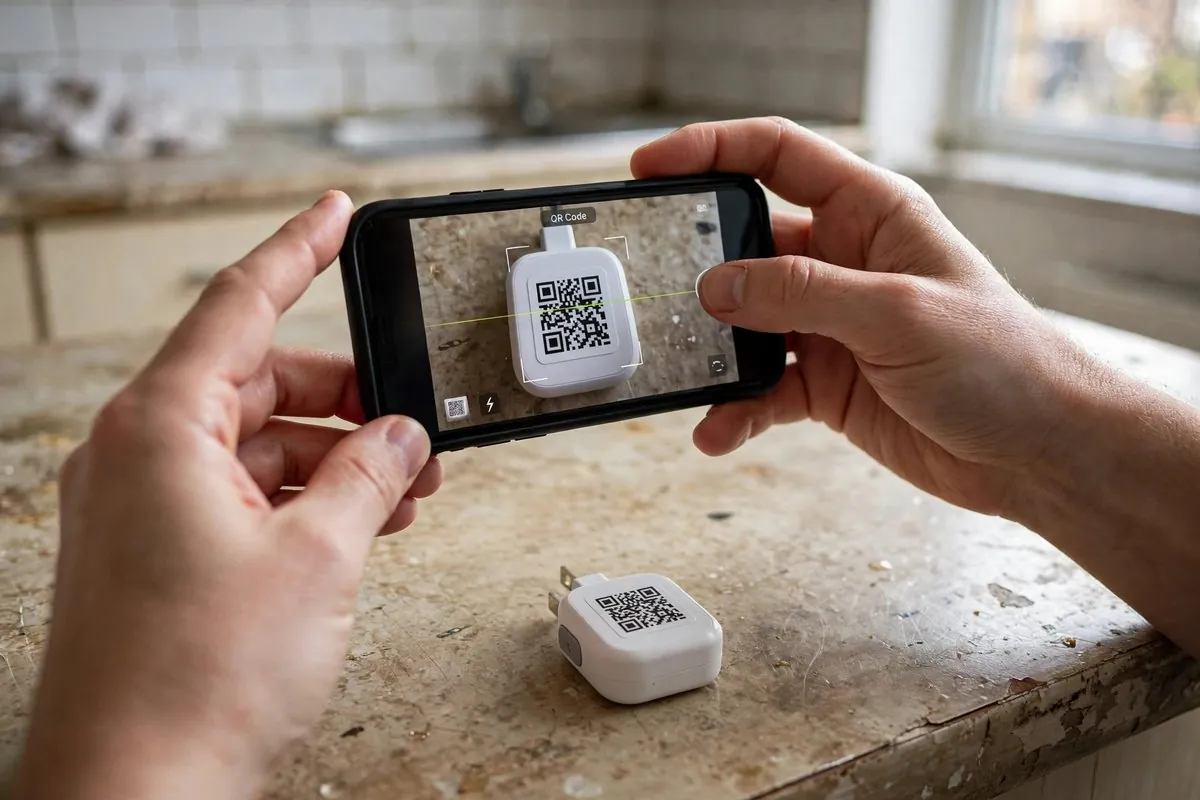
- Add the device. For Matter, scan the QR code on the plug or the insert. Take a photo of that code and keep it, because you'll need it if you ever reset the plug.
- Name it clearly. "Bedroom lamp" works better than "Plug 3," especially with voice commands.
- Test the physical button so you know how to override it.
- Set one schedule to make sure the timing works, like lights on at sunset.
- Update the firmware if the app offers it.
If a plug won't connect, move it closer to the router and switch off any VPN on your phone. Also confirm you're not on a guest network that isolates devices. Our Smart Home Troubleshooting: Fix Offline Devices, Hubs & Wi-Fi Problems guide covers the rest. If Alexa stops responding to your plug, see Alexa Device Is Unresponsive: Fixes (Plus Google Home Not Responding).
Smart plug ideas that actually help renters
The best uses solve a daily annoyance. These are the ones renters tend to keep after the novelty wears off.
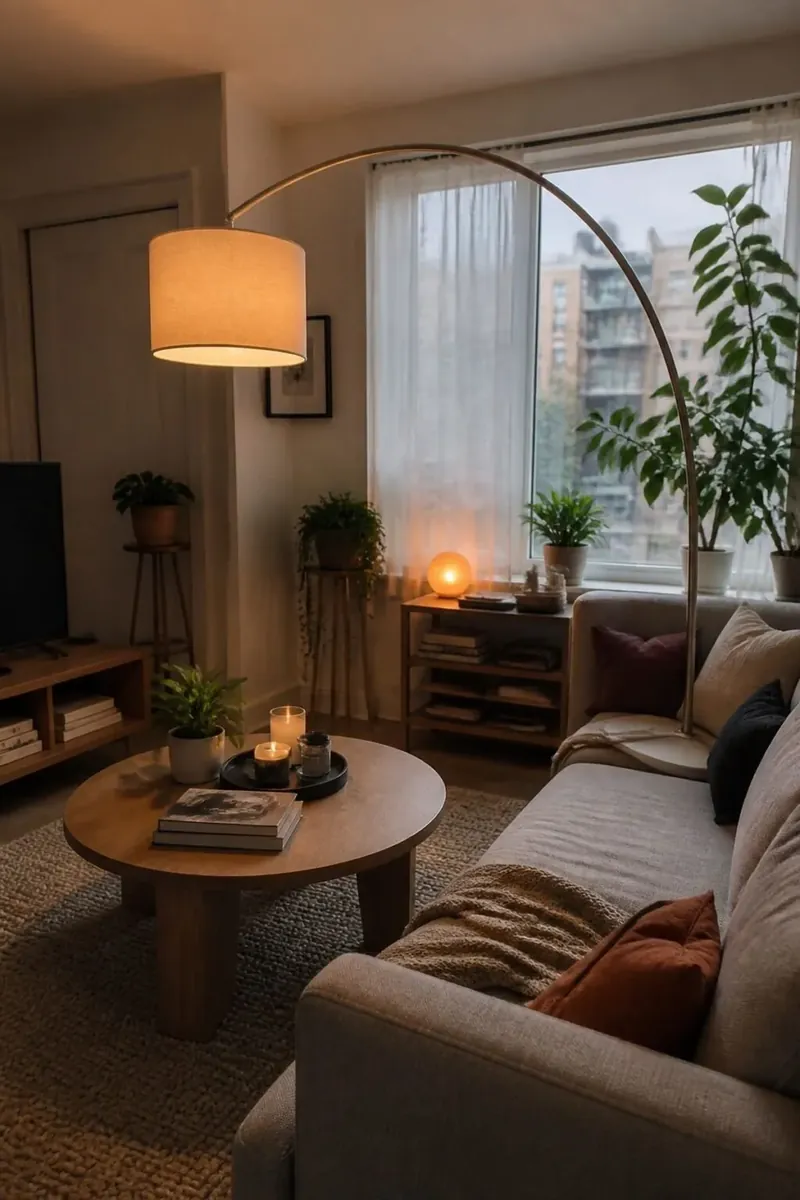
- Lamps on a schedule. Rentals often have no overhead light in the living room. A plug turns your floor lamp into a light you can switch from the door.
- Away-from-home lighting. Set lamps to switch on in the evening while you're traveling, so the apartment doesn't look empty.
- Fan before bed. Turn a box fan on 20 minutes before you go to bed in a stuffy bedroom.
- Window AC precool. If your unit restarts in its last mode, a plug can switch it on before you get home. Our Window AC With Heat Pump: Midea & Best Options for Renters guide explains which units handle this well.
- Coffee ready on wake-up. Only with a simple drip maker that has a mechanical switch.
- Charger cutoff. Stop charging phones overnight on a schedule if you're trying to limit battery wear.
- Kids' screen time. Cut power to a game console at a set hour.
- Holiday lights. Outdoor-rated plugs handle balcony string lights without a timer box.
A real renter scenario
Say you rent a one-bedroom with a single wall switch by the door, and it only controls one outlet. You put your floor lamp on that outlet, but the couch lamp is across the room. Two smart plugs and a "Good evening" routine turn both lamps on together at sunset. When you move, you unplug them in ten seconds.
Do smart plugs save money on electricity?
Sometimes, but usually not much. A smart plug saves money by cutting standby power and making sure devices don't run longer than needed. It doesn't make any device more efficient.
The plug itself uses a little power too, usually under 1 watt in standby. So putting a smart plug on a 2-watt charger won't save anything worth counting.
The savings come from:
- Turning off devices you forget about, like a space fan or a lamp in an empty room
- Cutting standby draw on entertainment centers (though you'll lose instant-on features)
- Shifting flexible loads to cheaper hours if you're on a time-of-use plan
What energy-monitoring smart plugs show you
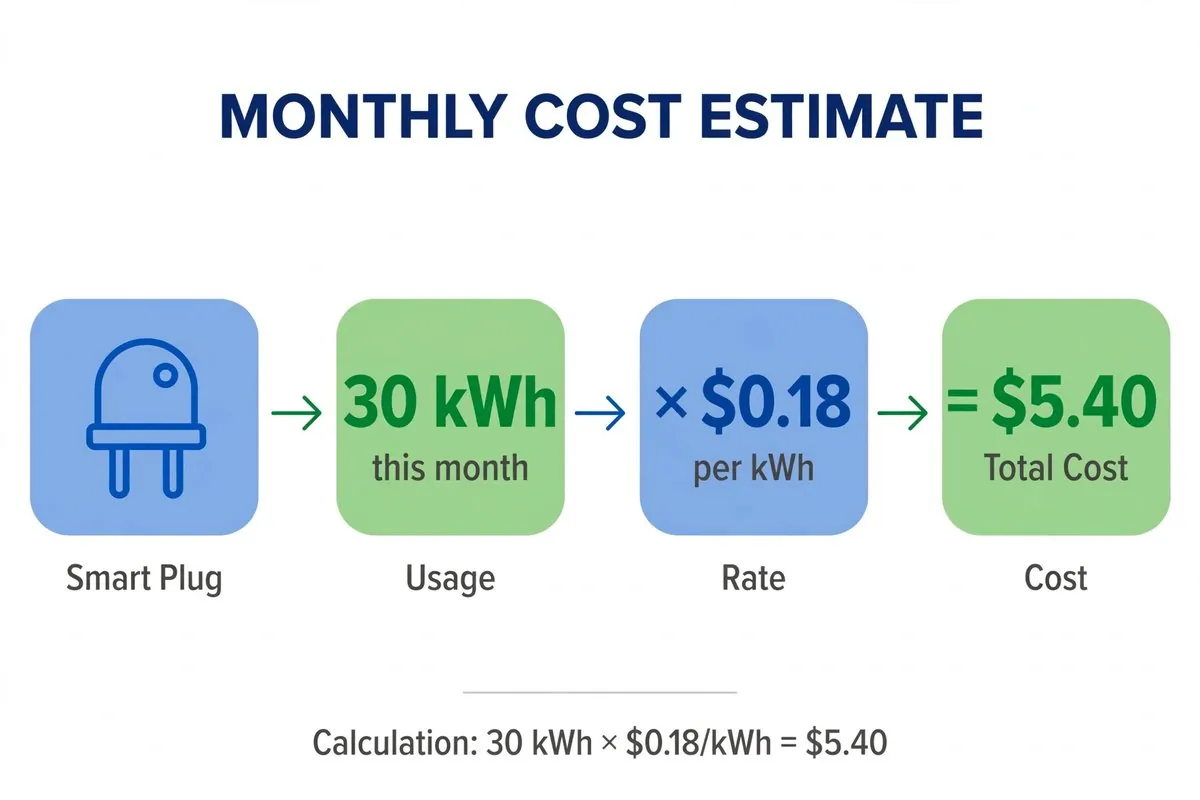
An energy-monitoring smart plug measures how many watts a device draws in real time and adds up the kWh over days and months. That's useful if you pay your own electric bill. You can see what your window AC costs per night or catch an old mini fridge that runs nonstop.
To turn kWh into dollars, multiply by your rate. If a device uses 30 kWh in a month and you pay 18 cents per kWh, that's about $5.40. Our How to Monitor Apartment Electricity Use With a Smart Plug guide walks through the math and setup.
Smart plugs, your lease, and your deposit
A smart plug won't affect your deposit, as long as you don't overload outlets or damage them. It plugs in and unplugs like any appliance.
Still, a few landlord and deposit points are worth knowing:
- Outlets. Check that the outlet grips the plug firmly. Loose, worn outlets in older rentals can let a heavy plug sag and arc. Report loose outlets to your landlord instead of forcing a plug in.
- Shared Wi-Fi. Some buildings ban personal devices on their network or block them. Read your internet terms before connecting.
- Building appliances. Don't control landlord-owned equipment with your smart plug unless you have permission.
- Fire safety. Never place a smart plug behind furniture where it can't release heat, and never use it on a damaged cord.
- Move-out. Remove the plugs, reset them in the app, and delete them from your account so the next tenant can't see your schedule history. Our How to Reset and Remove Smart Devices Before Moving Out checklist covers every device type.
If you also want smart heating, remember that thermostats are a different story. Most need wiring changes, so read No C-Wire? Smart Thermostat Options for Renters before you touch the wall unit.
What does a smart plug setup cost?
A single basic smart plug costs about $8 to $15. A practical starter setup for a one-bedroom rental runs about $30 to $60 for three or four plugs.
| Setup | What you buy | Approx. cost (checked Nov 2026) |
|---|---|---|
| Lamp starter | 1 Wi-Fi mini plug | $8 to $15 |
| One-bedroom basics | 4-pack of Matter mini plugs | $30 to $45 |
| Energy tracking | 2 energy-monitoring plugs | $20 to $40 |
| Apple-first home | 2 Thread plugs | $66 to $84 |
| Balcony lights | 1 outdoor plug | $20 to $26 |
There's no monthly fee for normal smart plug use. If an app asks for a subscription for basic on/off control, that's a reason to choose a different brand.
Mistakes to avoid with smart plugs
Most smart plug problems come from the wrong device, the wrong network, or the wrong expectations.
- Plugging in a device that won't restart. Test it first by unplugging and replugging it.
- Ignoring the watt rating. A 10-amp plug on a 1,500-watt heater is a real fire risk.
- Stacking plugs. Don't plug a smart plug into a power strip that feeds other high-draw devices, or into another adapter.
- Covering the plug. Smart plugs make some heat. Keep them out from under rugs and tight behind dressers.
- Losing the Matter QR code. Photograph it on day one.
- Using guest Wi-Fi. Many guest networks isolate devices, so the app can't find the plug.
- Forgetting to remove it from your account. Do it before you hand back the keys.
Smart plug guides in this series
This guide is the hub for our smart plug and smart thermostat articles. Start here, then pick the next step that fits your apartment:
- Matter, Thread, Zigbee and Wi-Fi: What Is the Difference?
- How to Monitor Apartment Electricity Use With a Smart Plug
- No C-Wire? Smart Thermostat Options for Renters
- Matter vs Zigbee Smart Plugs (Aqara & More): Which to Buy
- Related: Smart Home for Renters: What to Buy First (No Drilling)
FAQ
What is a smart plug used for?
A smart plug is used to turn ordinary devices on and off remotely or on a schedule. Common uses are lamps, fans, string lights, chargers, and simple coffee makers.
Does a smart plug need Wi-Fi?
Wi-Fi smart plugs need Wi-Fi for app and voice control. Zigbee, Z-Wave, and Thread plugs use a hub or border router instead. Most plugs keep their manual button working even without a connection.
Do smart plugs work when the internet is down?
Often, yes, for local control and schedules, depending on the brand. Matter and hub-based plugs usually keep working on your home network. Cloud-only Wi-Fi plugs may lose app control until the internet returns.
Is it safe to plug a space heater into a smart plug?
Only if the plug is rated for the heater's load and the heater maker allows it. A 1,500-watt heater on a 15-amp plug is close to the 80% continuous-load limit of about 1,440 watts, so many people use a heavy-duty, heater-rated plug or skip it entirely.
Do I need my landlord's permission to use a smart plug?
Usually no. A smart plug is a plug-in device that doesn't change the wiring. Ask first only if you want to control building-owned equipment or use the building's managed Wi-Fi.
Can a smart plug dim a lamp?
No. A smart plug only switches power on and off. Use a smart bulb if you want dimming or color.
Conclusion
So, what is a smart plug? It's the simplest way to make an everyday device smart without touching your rental's wiring. Pick a plug that matches your voice assistant, check the watt rating against what you're plugging in, and start with one annoying daily task, like a lamp you can't reach. When you're ready for the next step, read How to Monitor Apartment Electricity Use With a Smart Plug to see what your devices actually cost to run.
Sources
- TP-Link Tapo P125M specifications (tapo.com)
- TP-Link Kasa KP125M launch coverage (MacRumors, April 2023)
- SwitchBot Plug safety and compliance information (support.switch-bot.com)
- Yahoo Tech: Safety tips for using smart plugs
